28 NOV — R6 AI GENERATOR ADJUSTABLE HUMANIZATION ADDED
Please verify your email address!
Resend

MLB The Show 26 Script Generator

The very first Artificial Intelligence Cronus Zen Script Generator!

Loading generator…

Select Game

AI MLB The Show 26 Cronus Zen Script Generator

Custom Scripts for Perfect Pitching, PCI Precision and Enhanced Batting Mechanics

Create custom AI MLB The Show 26 Cronus Zen scripts with a ready-to-use mod menu, adjustable gameplay values, and controller binds for batting, pitching, and fielding. Use the MLB The Show 26 Zen script generator to build a custom script around your preferred timing and input setup.

Choose from mods like batting timing support, PCI control, pitching release assists, fielding actions, and profile-based settings. Fine-tune delays, button binds, input strength, and gameplay values so your custom MLB The Show 26 Cronus Zen script matches your playstyle.
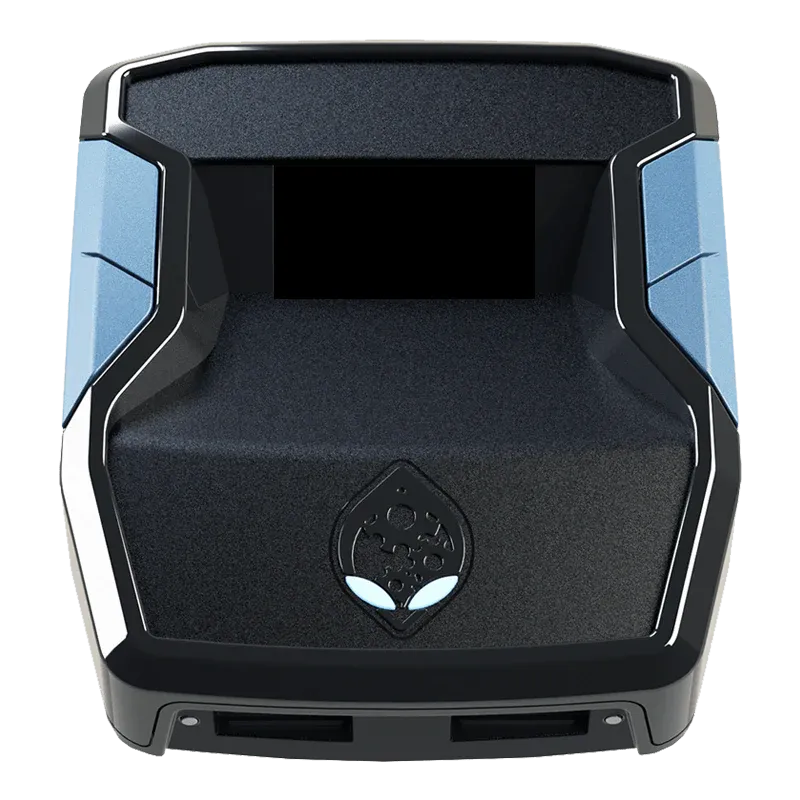

Controller Keybinds
Click to change
Guides

Getting Started

Everything you need to know about creating and using your script

1. Build Your Script

  1. Select Your Game - Choose from NBA 2K27, Call of Duty, Fortnite, Rainbow Six Siege, EA FC 27, Arc Raiders, Rust, Rocket League, Battlefield 6, PUBG, MLB The Show 26, Marvel Rivals, DayZ, GTA V, Overwatch 2, Red Dead Redemption 2, Valorant and Division 2
  2. Configure Build Values - For NBA 2K27, customize your Position, Release Height, Release Speed, and more
  3. Set Up Keybinds - Map your controller buttons to match your in-game settings
  4. Choose Mods - Select which gameplay mods you want to enable
  5. Add Image and LED Color (Optional) - Choose a custom image and LED color for your script
  6. Generate Script - Click the generate button to create your personalized script

Once generated, your script will automatically download.

2. Install Your Script

  1. Open Zen Studio Live - Connect your Zen and drag your downloaded Zen script into the Editor tab
  2. Program Device - Go to the Device Slots tab, drag your script into an empty slot, and click save
  3. Activate Script - Press the light blue button on the right side of your Zen to cycle to your new script

For detailed installation instructions with images, visit: Installation Guide

3. In-Game Mod Menu Controls

Use these controls to access and customize your mods while playing:

L2/LT + Options
Open mod menu
D-Pad Up/Down
Navigate through mod selection
D-Pad Right/Left
Turn selected mod ON/OFF
X/A
Enter value adjustment mode
Hold L2 + D-Pad
Edit values and settings
Circle/B
Close menu and save selections

MLB The Show 26 Mods

Mod Name Description How to Activate
Auto Swing Automatically swings after set interval Set delay value in mod menu. Press swing and script waits for set duration then executes swing. Higher delay = longer wait
Bat on Release Swings when you release the button, not when you press it, for higher accuracy and faster response times Swings become hold to activate. Press swing to activate
Block Rumble Completely disables all controller vibration/rumble Simple toggle: ON = no vibration
No Delay Instant button response - no more delay. Detects any button press above 0% (even 1%) and instantly registers as 100% press eliminating all delay Automatically active when on. TIP: Disable if buttons feel too responsive
PCI Assist One-button PCI positioning with automatic joystick hold Hold activation button (L2=Normal, R2=Power, L1=Bunt, L3=Contact), tap D-pad direction. Zeus instantly moves joystick to that direction and presses swing. Settings: Distance - how far PCI moves (higher = larger movement)
PCI Limiter Restricts how far your PCI can move - perfect for reducing overcorrection Aim PCI normally; Zeus creates an invisible boundary for PCI movement
PCI Precision Adjustable sensitivity curve - full range with increased precision. Slows PCI movements to get more accurate placements easily Aim PCI normally, Zeus adjusts movement speed automatically. Settings: Curve Strength (1-100%, default 50%) - 1=small effect, 50=balanced precision boost, 100=large effect/PCI slows down
Perfect Meter Automatically times your meter pitch release Automatically activates while sticky position is holding to prevent hijacking the A/X button during pitch selection
Automatically times your circle for pulse pitching Hold L2/LT and Zeus auto times the circle at the smallest point
Quick Switch Allows you to switch between batting and pitching mods without using the mod menu Press L3 and R3 at the same time. This disables all batting mods and enables all pitching mods or vice versa
Release Vibrator Haptic feedback when you hold down a button - vibrates at the moment you should release. Bat on Release must be on Hold swing when pitcher releases ball, script vibrates when to release swing. Settings: Vibrator ms - time to hold before vibration. Lower=vibrates sooner (50-100ms), Higher=vibrates later (200-250ms). Test in practice first to find comfortable setting
Sticky Position Freezes PCI in place at the peak of your movement so you don't have to hold PCI in place Aim PCI like default and it will freeze it for you at the peak
Track Assist Increases snappiness of PCI if you haven't moved joystick in 3 seconds Don't move PCI for at least 3 seconds. When moving PCI to track ball, it increases sensitivity allowing faster tracking and snappier movement
Select Call of Duty Title

Support Chat

Enlarged image

Click anywhere or press Escape to close