Deadside Script Generator
Loading generator…
The generator could not load. Please try again.
AI Deadside Cronus Zen Script Generator
Custom Scripts for Deadside Recoil, Aiming and Movement
Create a custom Deadside Cronus Zen script with adjustable Anti Recoil, Aim Assist, Rapid Fire, Auto ADS and Auto Reload. Add sprint, breath and lean assists to suit the way you play.
Match the controller binds to your in-game controls, choose your mods and customise your screen and LED colour. Adjust recoil, aim strength and timing in the Zen mod menu. Recoil values require tuning for your weapon and sensitivity.
Getting Started
Everything you need to know about creating and using your script
1. Build Your Script
- Select Your Game - Choose from NBA 2K27, Call of Duty, Fortnite, Rainbow Six Siege, EA FC 27, Arc Raiders, Deadside, Rust, Rocket League, Battlefield 6, PUBG, MLB The Show 26, Marvel Rivals, DayZ, GTA V, Overwatch 2, Red Dead Redemption 2, Valorant and Division 2
- Configure Build Values - For NBA 2K27, customize your Position, Release Height, Release Speed, and more
- Set Up Keybinds - Map your controller buttons to match your in-game settings
- Choose Mods - Select which gameplay mods you want to enable
- Add Image and LED Color (Optional) - Choose a custom image and LED color for your script
- Generate Script - Click the generate button to create your personalized script
Once generated, your script will automatically download.
2. Install Your Script
- Open Zen Studio Live - Connect your Zen and drag your downloaded Zen script into the Editor tab
- Program Device - Go to the Device Slots tab, drag your script into an empty slot, and click save
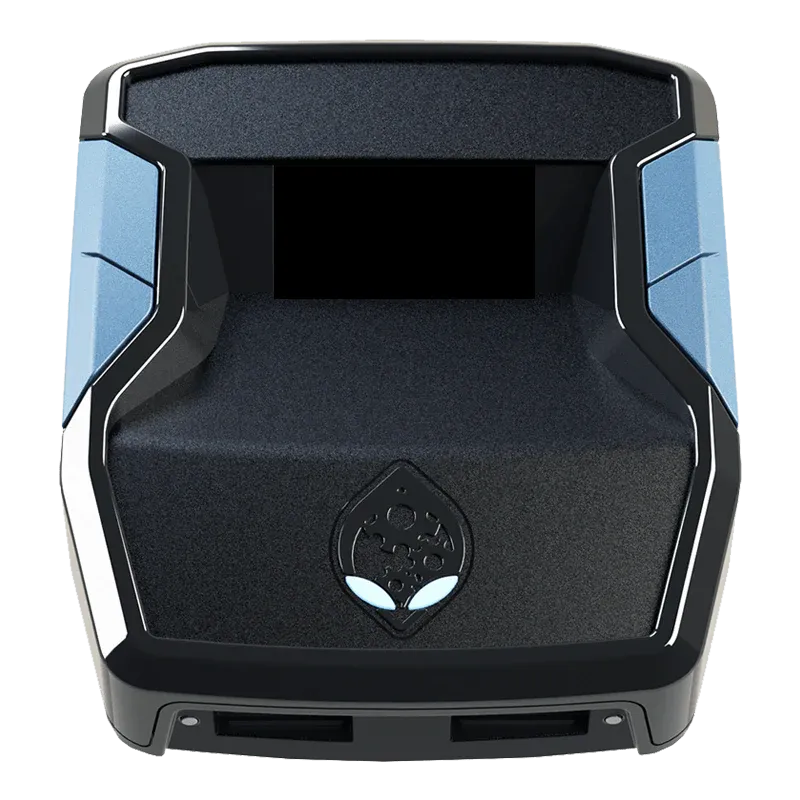
- Activate Script - Press the light blue button on the right side of your Zen to cycle to your new script
For detailed installation instructions with images, visit: Installation Guide
3. In-Game Mod Menu Controls
Use these controls to access and customize your mods while playing:
Deadside Mods
| Mod | Description | How to use |
|---|---|---|
| Aim Assist | Adds small aiming movements with adjustable strength | Active while aiming or firing. Adjust AA Strength in the Zen menu. When Anti Recoil is enabled, Aim Assist pauses during firing so both mods do not compete for the aiming stick. It cannot detect targets; test the effect in game |
| Anti Recoil | Helps control weapon recoil while aiming and firing | Active while aiming and firing, including aiming supplied by Auto ADS. Adjust AR Vertical and AR Horizontal for your weapon and sensitivity. No weapon presets or automatic weapon detection |
| Rapid Fire | Repeatedly fires while you hold the fire button | Hold fire. The Zen menu offers hip-fire, ADS or both, plus RF Hold and RF Release timings. Auto ADS counts as ADS. Release fire to stop |
| Auto ADS | Automatically aims while you hold the fire button | Hold fire to hold the aim button automatically. Works with Rapid Fire. Manual aim is still available |
| Auto Reload | Automatically reloads when you release the fire button | Release fire to send one reload press. Adjust Reload Time (ms) in the Zen menu. Use a short press to avoid the alternate hold action. Starting to fire again cancels the reload input. Does not detect ammo or reload completion |
| Auto Sprint | Automatically sprints as you move forward | Move forward to hold sprint. Pauses while aiming, firing or crouching. Alternative to Toggle Sprint |
| Auto Hold Breath | Automatically holds your breath while aiming | Hold aim, or fire with Auto ADS enabled, to hold the breath button. Does not remove stamina limits |
| Follow Lean | Leans with your sideways movement while aiming | Move sideways while aiming to hold the matching lean button. Use an in-game layout with hold-to-lean. Alternative to Toggle Lean |
| Drop Shot | Automatically presses crouch or prone when you start firing | Press fire to run one stance-button hold. Adjust Shot Delay and End Wait in the Zen menu. The stance button is held for half a second; whether that crouches or goes prone depends on your in-game controls. Release fire to cancel the sequence |
| Hair Triggers | L2/LT and R2/RT activate instantly — no need to wait for a full press | Active while enabled. Trigger presses reach full strength immediately; automated fire releases take priority |
| Toggle Sprint | Tap sprint once to keep sprinting, then again to stop | While not aiming or firing, tap sprint to latch it on or off. Sprint output pauses during aim, fire and crouch. Opening the menu or pausing the script clears the latch. Use hold-to-sprint in game. Alternative to Auto Sprint |
| Toggle Lean | Tap a lean button to hold that lean while aiming | While aiming, tap left or right lean to hold that side. Tap the same side again to release or the other side to switch. Releasing aim clears the lean. Use hold-to-lean in game; do not combine with a built-in lean toggle. Alternative to Follow Lean |