28 NOV — R6 AI GENERATOR ADJUSTABLE HUMANIZATION ADDED
Please verify your email address!
Resend

Madden NFL 27 Script Generator

The very first Artificial Intelligence Cronus Zen Script Generator!

Loading generator…

Select Game

AI Madden NFL 27 Cronus Zen Script Generator

Custom Scripts for Madden NFL 27 Skill Moves, Passing and Controller Mods

Create a custom Madden NFL 27 Cronus Zen script with Skill Moves, Auto Green Passing and Stiff Arm Assist. Choose Auto Sprint or Toggle Sprint, add Hair Triggers, and use Release Vibrator for a manual pass release cue. Add Auto Green Catching for possession, aggressive and run-after-catch attempts.

Assign jukes, trucks and defensive moves to your D-pad, select your controller, and customise your screen and LED colour. Adjust pass and catch timings in the Zen mod menu to suit your setup. Timing assists require in-game adjustment and do not guarantee green results.

Choose Your Game Version

Select Mods
Controller Controls
Game Mods
Guides

Getting Started

Everything you need to know about creating and using your script

1. Build Your Script

  1. Select Your Game - Choose from NBA 2K27, Call of Duty, Fortnite, Rainbow Six Siege, EA FC 27, Arc Raiders, Rust, Rocket League, Battlefield 6, PUBG, MLB The Show 26, Marvel Rivals, DayZ, GTA V, Overwatch 2, Red Dead Redemption 2, Valorant and Division 2
  2. Configure Build Values - For NBA 2K27, customize your Position, Release Height, Release Speed, and more
  3. Set Up Keybinds - Map your controller buttons to match your in-game settings
  4. Choose Mods - Select which gameplay mods you want to enable
  5. Add Image and LED Color (Optional) - Choose a custom image and LED color for your script
  6. Generate Script - Click the generate button to create your personalized script

Once generated, your script will automatically download.

2. Install Your Script

  1. Open Zen Studio Live - Connect your Zen and drag your downloaded Zen script into the Editor tab
  2. Program Device - Go to the Device Slots tab, drag your script into an empty slot, and click save
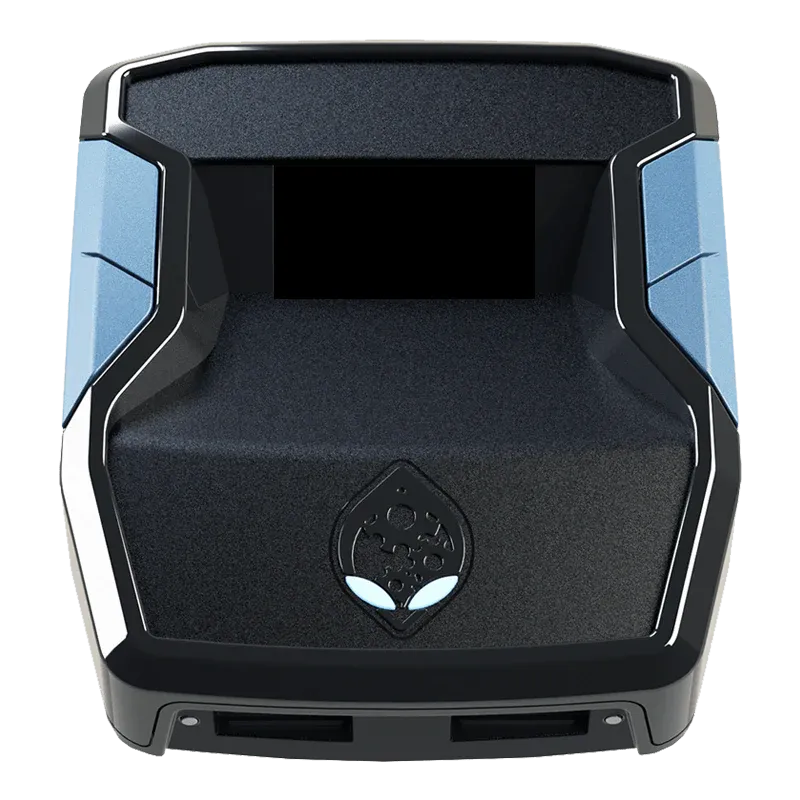
  3. Activate Script - Press the light blue button on the right side of your Zen to cycle to your new script

For detailed installation instructions with images, visit: Installation Guide

3. In-Game Mod Menu Controls

Use these controls to access and customize your mods while playing:

L2/LT + Options
Open mod menu
D-Pad Up/Down
Navigate through mod selection
D-Pad Right/Left
Turn selected mod ON/OFF
X/A
Enter value adjustment mode
Hold L2 + D-Pad
Edit values and settings
Circle/B
Close menu and save selections

Madden NFL 27 Mods

Mod Name Description How to Activate
Skill MovesAssign jukes, spins, trucks and defensive moves to the D-pad for quick access during a playHold R3 and press your assigned D-pad direction
Stiff Arm AssistPerform a stiff arm with a quick shortcut, helping you fend off defenders while carrying the ballWhile carrying the ball, hold L2 and tap Cross
Cover Ball AssistKeep the ball covered while holding a simple shortcut, giving you more control when approaching defendersHold R3 + L1 while carrying the ball. Release either to stop
Release VibratorGet a vibration cue for your chosen pass timing so you know when to release the receiver buttonHold L3 and the receiver button, then release at the vibration
Stamina SaverKeeps your running pace controlled during a play, with full speed available whenever you hold sprintAutomatically active while moving. Hold R2 for full speed
Auto SprintKeeps sprint held so movement stays fast without repeatedly pressing the sprint buttonPush the left stick fully in your running direction
Toggle SprintTap sprint once to keep sprinting, then again to stopTap R2 to start sprinting. Tap again to stop
Auto Green PassingAutomatically releases your pass using the selected Lob, Touch or Bullet timing, so you can focus on choosing your receiverHold L3 and press the receiver button
Auto Green CatchingAutomatically times your catch release for Possession, Aggressive and Run After Catch, using a shortcut for each catch typeAfter throwing, hold R3 and press Cross for Possession, Triangle for Aggressive, or Square for Run After Catch
Hair TriggersL2 and R2 activate instantly — no need to wait for a full pressAlways active when enabled
No VibrationBlocks all controller vibrationAlways active when enabled

Quick Setup

For passing, select Placement & Accuracy in Madden. Choose Lob, Touch or Bullet and adjust pass timing in the Zen menu. For catching, enable Timing Based Catching in Madden; catch timing can be adjusted in the Zen menu.

Menu Controls

L2 + Options: open settings. Up/Down: select a setting. Left/Right: adjust. Circle: save and close. L2 + Share: turn the script on or off.

Support Chat

Enlarged image

Click anywhere or press Escape to close