Call of Duty Script Generator
Loading generator…
The generator could not load. Please try again.
AI Call of Duty Cronus Zen Script Generator
Custom Cronus Zen Scripts for Warzone, Black Ops 7, Modern Warfare 4 and more!
Generate custom AI Call of Duty Cronus Zen scripts with a ready-to-use mod menu, adjustable controller binds, and gameplay settings built around Warzone, Black Ops, Modern Warfare, and other COD titles. Use the COD Zen script generator to create a custom script for your weapons, loadouts, and playstyle.
Build around popular mods like anti recoil, aim assist tuning, rapid fire, slide movement support, and weapon profiles. Adjust values, delays, activation binds, and sensitivity-based settings so your custom Call of Duty Zen script feels personal, responsive, and easy to use.
Choose Your Call of Duty Title



Getting Started
Everything you need to know about creating and using your script
1. Build Your Script
- Select Your Game - Choose from NBA 2K27, Call of Duty, Fortnite, Rainbow Six Siege, EA FC 27, Arc Raiders, Rust, Rocket League, Battlefield 6, PUBG, MLB The Show 26, Marvel Rivals, DayZ, GTA V, Overwatch 2, Red Dead Redemption 2, Valorant and Division 2
- Configure Build Values - For NBA 2K27, customize your Position, Release Height, Release Speed, and more
- Set Up Keybinds - Map your controller buttons to match your in-game settings
- Choose Mods - Select which gameplay mods you want to enable
- Add Image and LED Color (Optional) - Choose a custom image and LED color for your script
- Generate Script - Click the generate button to create your personalized script
Once generated, your script will automatically download.
2. Install Your Script
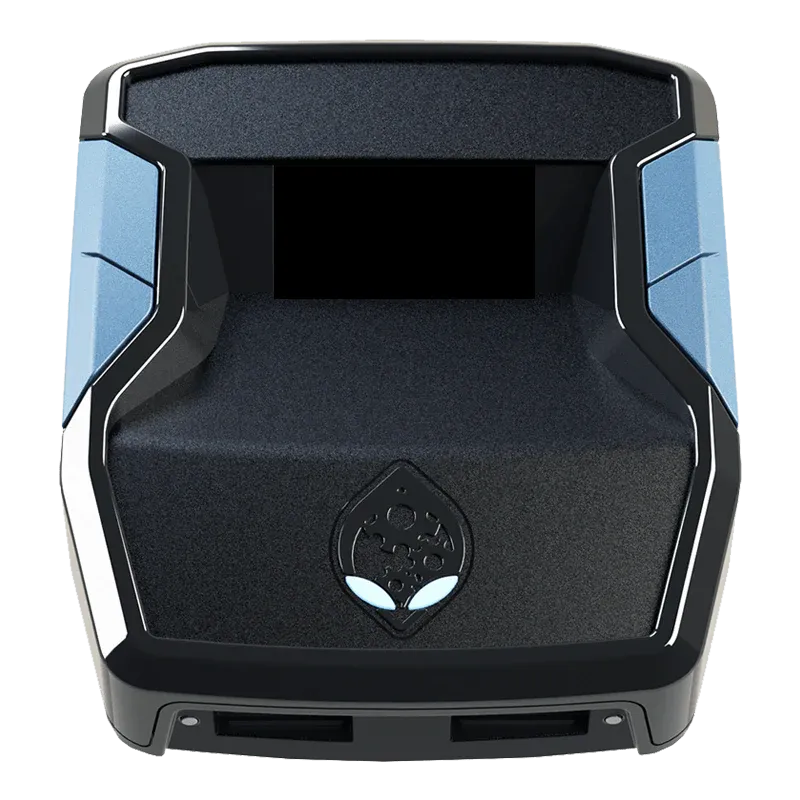
- Open Zen Studio Live - Connect your Zen and drag your downloaded Zen script into the Editor tab
- Program Device - Go to the Device Slots tab, drag your script into an empty slot, and click save
- Activate Script - Press the light blue button on the right side of your Zen to cycle to your new script
For detailed installation instructions with images, visit: Installation Guide
3. In-Game Mod Menu Controls
Use these controls to access and customize your mods while playing:
Call of Duty Mods
| Mod Name | Description | How to Activate |
|---|---|---|
| Aim Assist | Enhanced aim assistance using chosen creator configurations | Automatically activates when playing |
| Anti Recoil | Automatically counters vertical recoil. Fully adjustable strength | Activates automatically when aiming (ADS) and shooting |
| Auto Ping | Automatically marks enemies when aiming or shooting, helping your team track targets without manual input | Activates when ADS and firing at enemy |
| Bunny Hop | Continuously jumps for you while you're moving and holding jump, making you harder to hit | Hold jump button while moving |
| Dropshot | Automatically spams crouch when firing, making you a harder target in gunfights. Customizable delay, hold time and activation | Activates on fire, ADS, or both (configurable in the Mod Menu) |
| Hair Triggers | L2/LT and R2/RT activate instantly — no need to wait for a full press | Automatically activates when playing |
| Headshot Assist | Aims up when shooting with adjustable strength to help guide your crosshair toward enemy head level for more consistent headshot accuracy | Activates when firing |
| Hold Breath | Auto hold breath while sniping for better accuracy | Activates automatically when aiming (ADS) |
| Humanization | Adds realistic randomization to inputs to avoid detection by anti-cheat systems | Automatically enabled when playing |
| Jump Shot | Automatically jumps when firing for dynamic movement during gunfights | Activates on fire, ADS, or both (configurable in the Mod Menu) |
| Rapid Fire | Turns semi-auto weapons into full-auto with adjustable delay | Activates when firing or when ADS and firing |
| Slide Cancel | Performs a perfect slide cancel automatically | Press your slide/prone button while sprinting |
| YY Spam | Automatically performs rapid weapon swap animations, to speed up animations | Activates on weapon swap |