
How to contact support
If you ever need help, you can reach out to our support team through two options:
- Our Discord Server
- Our Contact Page
How to contact us through discord
Step 1. Join the Discord Server
You can join our official Discord Server by visiting https://discord.gg/zenscript.
Alternatively, click the 'Discord' button on the website's left-hand navigation menu.
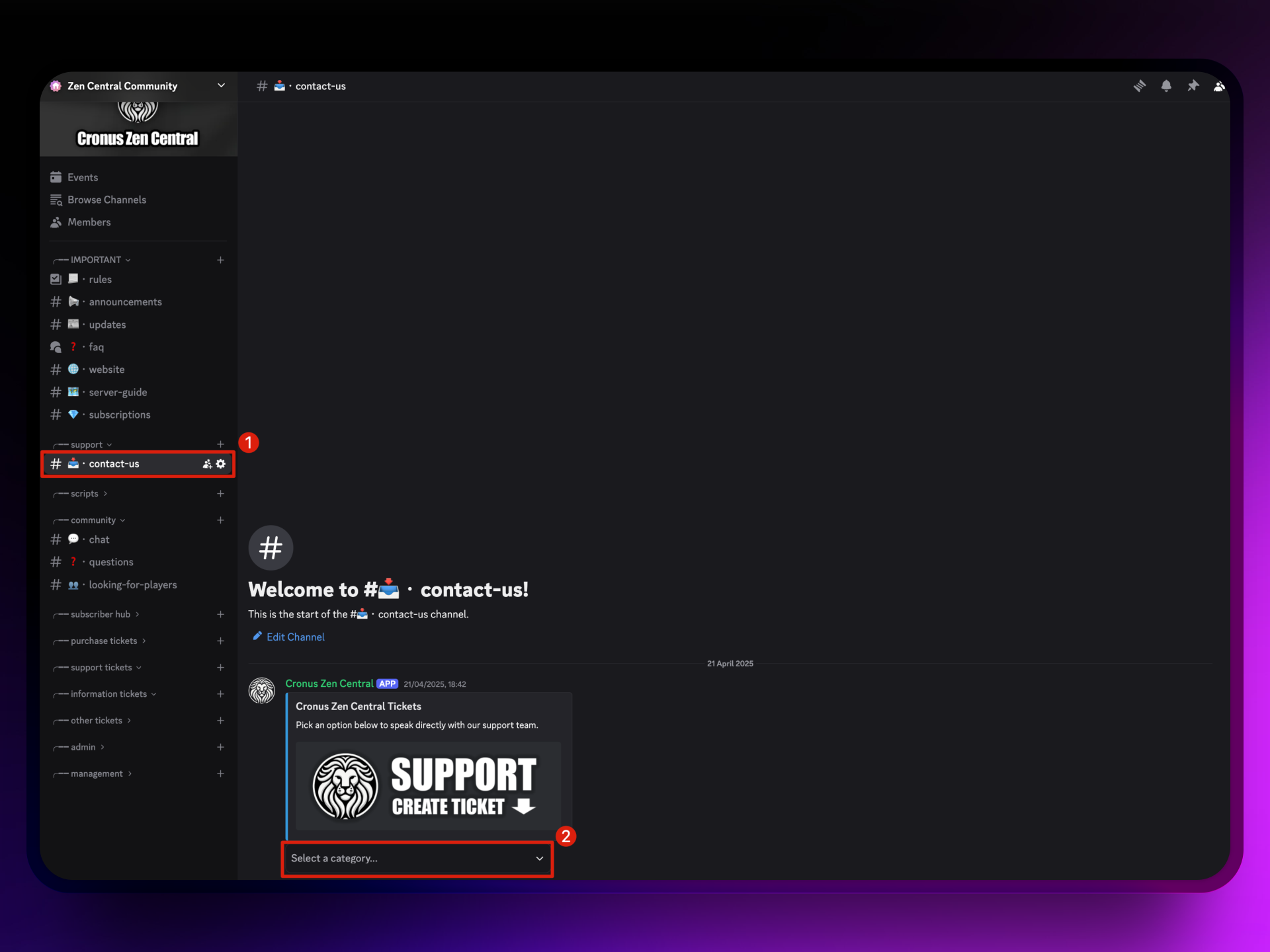
Step 2. Navigate to the Contact Channel
Inside the Discord server, scroll to the 'contact-us' channel under the 'support' category. Once there, click on the 'Create Ticket' button to begin.
Step 3. Choose a Ticket Category
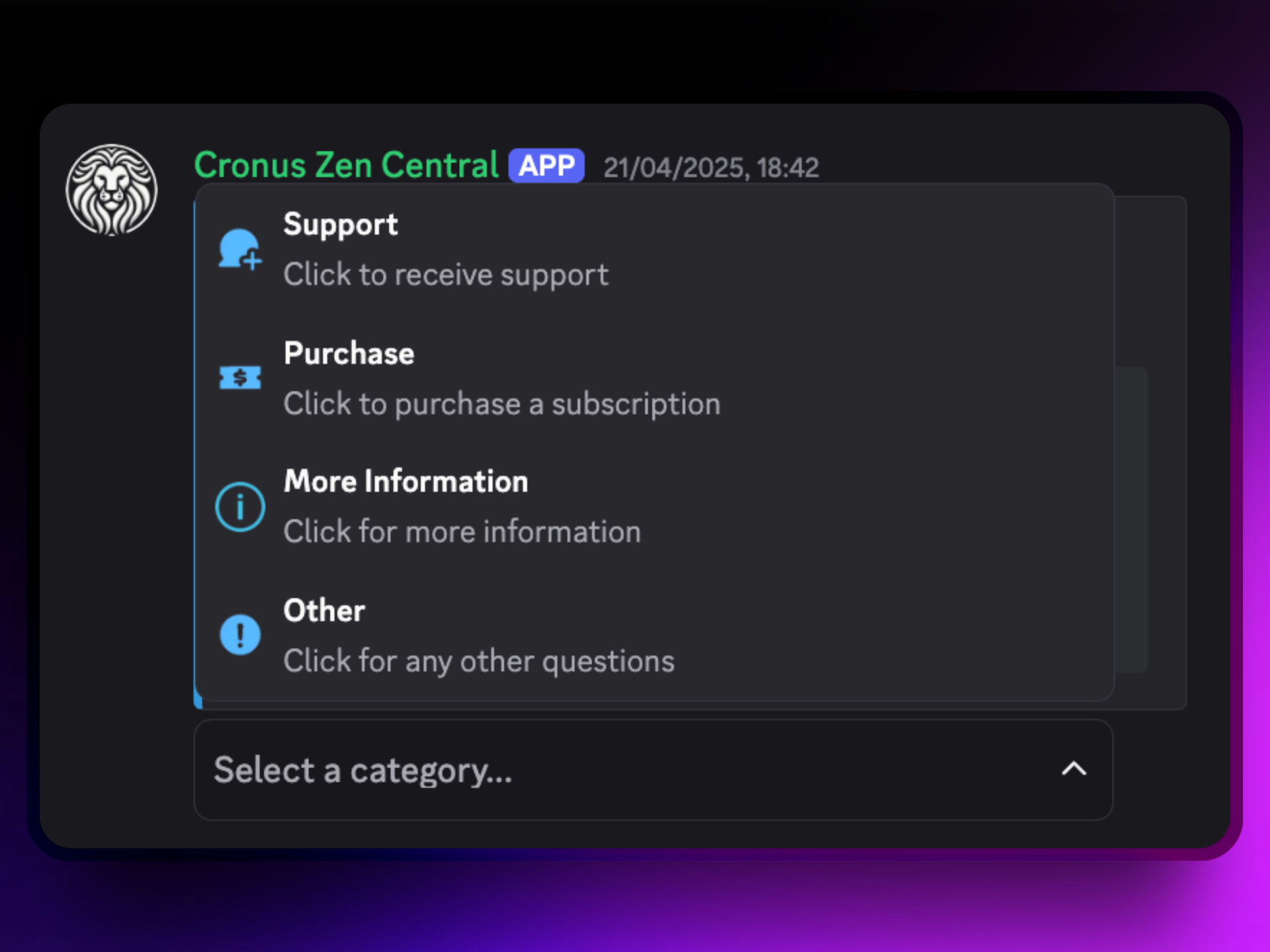
Once you've opened the ticket system, you'll be asked to choose the reason for your ticket. Select the option that best matches your request - whether it's Support, Purchase, More information, or Other.
How to contact us through our 'contact page' on our website
Step 1. Head over to our contact page
You can find our contact page on the left-hand navigation menu, or open the contact page here.
Step 2. Fill out the contact form
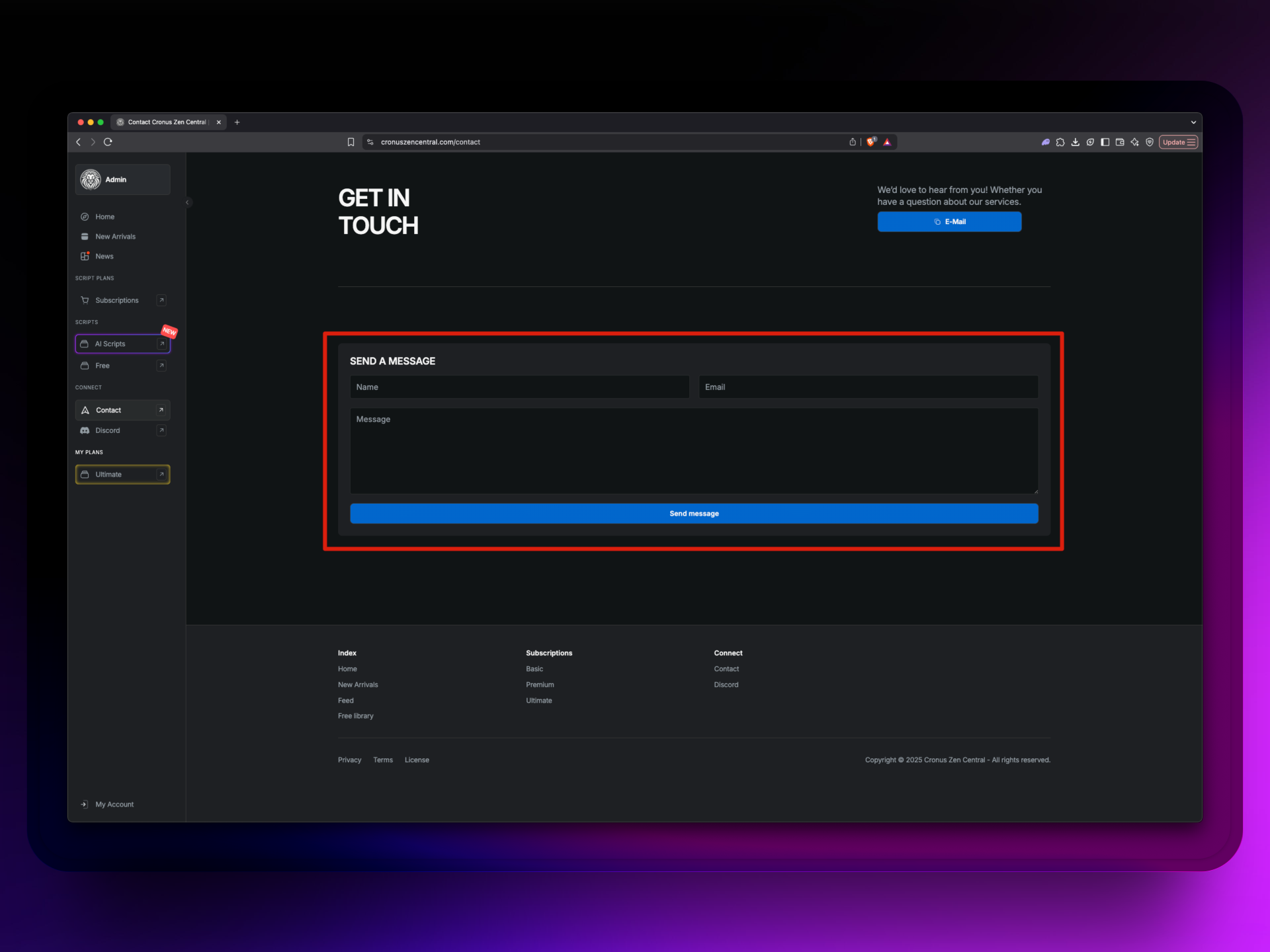
Once you've filled out the form, press 'Send Message'.
Our support team will get back to you within 1 day.