ACCÉDEZ À TOUTE LA BIBLIOTHÈQUE DE SCRIPTS ZEN
Accès 2 200+ scripts dès aujourd’hui !













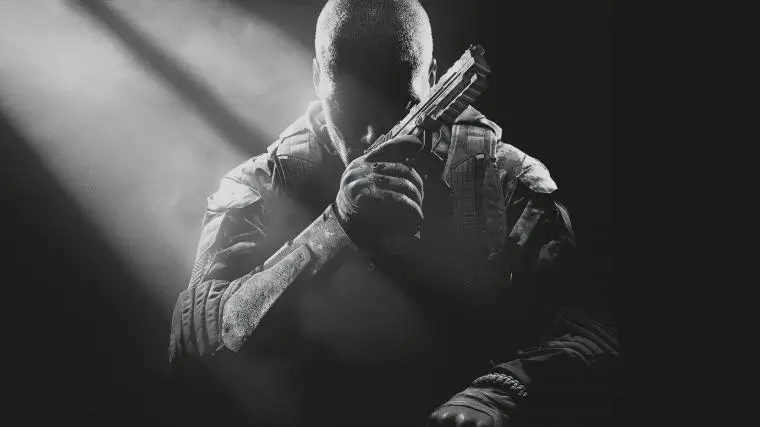
Avenged BO2 V2 : script Cronus Zen pour Call of Duty: Black Ops 2
Détails du script
- Créateur
 Avenged
- Accès
- Ultimate
- Format du téléchargement
- .GPC
- Plateformes compatibles
- Multiplateforme
- Version
- V2
- Fiche mise à jour
Avenged BO2 V2 est un script Zen pour Call of Duty: Black Ops 2 créé par Avenged. Consultez les informations de téléchargement et de configuration ci-dessous.
Ce script Cronus Zen pour Call Of Duty Black Ops 2 est développé par Avenged.
Mods inclus :
- Afk
- Afk Shoot
- Aim Assist
- Aim Assist Legacy
- Anti Recoil
- Auto Hold
- Mêlée automatique
- Crouch Shot
- Drop Shot
- Emblm Dupe
- Jump Shoot
- Jump Shot
- Silnt Sht
- Soft Triggers
- Objectif constant
Fonctionnalités

Menu des mods

Guides
Guides
BO2
- MP
- RF Primary / RF Secondary / RF Speed / RF Release
- Rapid Fire, same behavior as BO1's but with its own separate SPVARs
- Anti Recoil / AR Vertical / AR Horizontal
- Own separate set
- Sweet Assist (on/off)
- Ported straight from SAW v15's Sweet_EviL engine: circles your aim around the target while ADS or firing, runs Kalman movement prediction on the stick and blends predicted vs real aim (the "Evil" aim assist).
- All the other old MP pages (Drop Shot / Soft Aim / Aim HAX / Rat Detector / etc) stay removed.
- Evil Radius
- How wide the circle is
- Active Track
- Turns before it flips spin direction
- Fraction
- Kalman measurement noise -- prediction feel
- Evil Angle
- Degrees stepped per tick (spin speed)
- Smoothing
- Blend of predicted vs real aim
- Dead Zone
- Stick magnitude below this counts as centered
- Jump Shoot (on/off)
- X opens a Hold/Press picker:
- Hold spams Jump the whole time you hold Shoot
- Press fires one Jump per trigger pull
- Next 2 pages:
- Jump Hold Speed (spam cadence used by Hold mode)
- Jump Press Speed (tap duration used by Press mode)
- Crouch Shot (on/off)
- Same Hold/Press picker as Jump Shoot, driving Crouch instead of Jump
- Next 2 pages:
- Crouch Hold Speed
- Crouch Press Speed
- Drop Shot (on/off)
- X opens a Hold/Press picker:
- Hold holds Crouch down for the whole time you're firing (drop/prone while shooting)
- Press is one timed tap per trigger pull
- Next page:
- Drop Tap Time slider (how long Press mode holds Crouch for)
- Sprint (on/off)
- Driven by the left stick, not Shoot
- X opens a Hold/CW picker:
- Hold holds Sprint down the whole time you're moving so it auto-resumes through BO2's sprint-cancel interruptions
- CW is the ported Black Ops Cold War "Boosted Auto Sprint" exploit (periodically nudges forward movement to neutral to retrigger CW's sprint-start speed ramp-up)
- Written for Cold War specifically, unverified whether it does anything in BO1/BO2.
- Silnt Sht (on/off)
- Ported from Black Ops Cold War as "Quick Scoper"
- X opens a Fire/ADS+Lethal picker for when it triggers
- Square opens a Fire Dly / Lethal btn overlay
- Fires a shot, then (in Fire mode) waits Fire Dly ms before swapping to your equipped lethal/knife and back, then re-ADS -- cancels the scope-in recoil kick.
- Needs a throwing knife/lethal equipped.
- Fire Dly (0-500ms, default 100ms) is the gap between the shot and the knife-pull, not a cooldown between shots -- shooting itself is never delayed or blocked, every shot still gets the swap.
- Lethal btn (R1/L1) picks which physical button is Lethal vs Tactical, since BO2's Default and Tactical control schemes swap them -- R2 is always Fire, L2 always ADS, Triangle always Switch Weapon.
- ZB
- Aim Assist Legacy (on/off)
- Rapidly spams ADS in/out while L2 is held (the old Zombies-style rapid aim-in/out)
- Legacy Aim Speed
- How fast it zooms in/out while spamming
- AFK
- Bank Auto-Hold (on/off)
- Hold Square (Xbox: X) and the script loops a hold/release cycle for you
- Holds Square for Hold Time, lets go briefly, holds again -- for as long as you physically hold Square down
- Let go and it stops immediately.
- Hold Time
- How long each hold lasts before it briefly releases
- AFK Shoot (on/off)
- Fully autonomous, no button held at all
- Loops hold R2 / release R2 by itself for as long as it's on
- Built for the Buried Paralyzer AFK glitch -- turn it on and walk away
- LED goes orange while holding, green while released.
- AFK Shoot Hold
- How long each hold lasts
- AFK Shoot Release
- How long it releases between holds
- Auto Melee (on/off)
- Fully autonomous: presses melee (R3) on a loop by itself while ON, roughly one swing per second
- No buttons needed -- turn it on and walk away.
- Melee Speed
- 1-100, higher = faster swings (gap between hits)
- Emblm Dupe
- Own BO2 subcategory, separate from MP/ZB/AFK
- Emblm Dupe (on/off)
- Master switch
- While ON, R3 is repurposed: tap it once to run the copy-emblem menu macro (ported from BO2 Emblem Stealer v1.0), which auto-disables itself after one full run
- Flip this OFF and R3 goes straight back to normal melee
- Takes priority over Auto Melee since both would otherwise fight over R3.
- Dupe Delay
- Gap between each button press in the copy sequence -- raise it if steps get skipped.
Misc
- Soft Triggers (on/off, applies at all times no matter which page/game you were last on when you closed the menu)
- Steady Aim (on/off)
- Smooths tiny stick jitter by rounding RX/RY to a grid (ported from the saw_v12 reference's GetSteadyAim)
Controls
- L2 + OPTIONS = open / close menu
- UP / DOWN = move category cursor (category list) / change the value on a page (ON/OFF or number, tap or hold to ramp)
- CROSS = enter selected category
- LEFT / RIGHT = switch between pages inside a category
- CIRCLE = back out one level, then close menu
Active Game / Rapid Fire Behaviour
- Opening/entering BO1 makes BO1 the "active game" for gameplay (its Rapid Fire / Anti-Recoil values are the ones applied in-game).
- Entering BO2 does the same for BO2.
- Triangle in-game swaps you between your primary and secondary weapon's Rapid Fire toggle for whichever game is active.
- Rapid Fire keeps running straight through that swap.
Screen Animation
- A small two-guy gunfight animation runs across the very top strip of the screen at all times (both while the menu is open and while it's closed).
- Takes over the whole screen as a bigger idle screensaver when the menu is closed.
Installation et configuration
Suivez ces étapes pour installer le fichier GPC téléchargé sur votre Cronus Zen.
-
Téléchargez le script
Utilisez le bouton de téléchargement de cette page et enregistrez le fichier .gpc sur votre ordinateur.
-
Connectez votre Cronus Zen
Ouvrez Zen Studio Live dans Chrome ou Edge.
- Connectez votre Cronus Zen par le port PROG et sélectionnez « Connect Device ».
-
Ouvrez le script dans l'onglet Éditeur
Faites glisser le fichier .gpc téléchargé dans l'onglet « Éditeur ».
-
Ajouter le script à un emplacement de périphérique
Allez dans l'onglet Appareil, sélectionnez MES SCRIPTS en haut à droite, puis faites glisser le fichier .gpc choisi dans un emplacement vide.
-
Programmer le Cronus Zen
Cliquez sur le bouton Programme orange clignotant en haut pour enregistrer le script sur votre Zen.
-
Connectez, sélectionnez votre emplacement et testez
Une fois la programmation terminée, connectez le Zen à votre console ou PC en suivant la procédure adaptée à votre plateforme. Sélectionnez l’emplacement du script installé, puis suivez la configuration des touches et les valeurs de départ du créateur. Testez avant de modifier les réglages et ajustez une seule valeur à la fois.
Besoin d’aide pour la configuration ?
Si le Zen n’est pas détecté, vérifiez la connexion PROG et utilisez un câble USB permettant le transfert de données. Si un fichier GPC ne se compile pas, vérifiez que le téléchargement est complet et que le fichier est compatible avec votre version de Zen Studio.
Avenged BO2 V2 : questions fréquentes
Comment installer Avenged BO2 V2 ?
Ce téléchargement est un script GPC. Suivez les étapes numérotées ci-dessus pour l’ouvrir dans Zen Studio, l’affecter à un emplacement et programmer votre Zen.
Quel accès faut-il pour Avenged BO2 V2 ?
Ce script figure dans la bibliothèque ultimate. Connectez-vous avec une offre qui inclut ce niveau ; le bouton de téléchargement indique l’accès disponible pour votre compte.
Où trouver les réglages de Avenged BO2 V2 ?
Le guide du créateur figure sur cette page. La section Valeurs recommandées contient ses valeurs de départ. Connectez-vous avec l’accès requis pour les consulter et adaptez le script à vos réglages en jeu avant toute modification.