UNLOCK THE FULL ZEN SCRIPT LIBRARY
Access 2,000+ Scripts Today!













Adara Overwatch 2 v1.6 – Overwatch 2 Cronus Zen Script
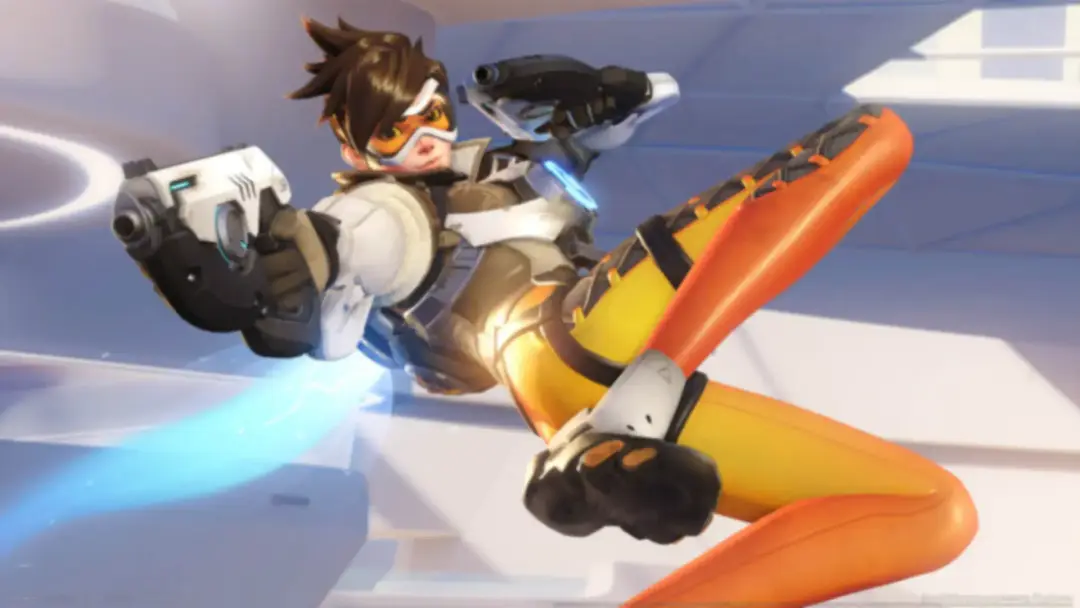

Script details
- Game
- Overwatch 2
- Access
- basic
- Download format
- .GPC
- Supported platforms
- cross-platform
- Version
- v1.6
- Listing updated
Adara Overwatch 2 v1.6 is a Overwatch 2 Zen script by Unknown. Explore its download and setup information below.
This is an Overwatch 2 Cronus Zen script developed by Unknown.
Features

Guides

Mod Menu
Guides
Main Menu Controls:
-
Enter the Menu: Hold L2/LT + Press OPTIONS/MENU
-
Exit the Menu: Hold L2/LT + Press CIRCLE/B
-
Enter a Mod: Press CROSS/A
-
Exit a Mod: Press CIRCLE/B
-
Cycle Through Heroes: Hold L2/LT + Press LEFT or RIGHT
-
Toggle a Mod On/Off: Hold L2/LT + Press LEFT or RIGHT
-
See Mod Values: While a mod is active, press LEFT or RIGHT to cycle through options
-
Edit a Value: Hold L2/LT + Press LEFT, RIGHT, UP, or DOWN
-
Cycle Through Binds: Hold L2/LT + Press LEFT or RIGHT
Menu Sections Explained:
-
Binds: Customize your script binds (ensure your in-game and script binds match).
-
Hero Mods: Unique, hero-specific mods.
-
Aim Assist: Includes Legacy, Triple Sticky, and DoGz Polar v6.
-
Rotational Aim Assist: Separate rotational aim assist.
-
Steady Aim: Uses DoNotAtMe’s Steady Aim.
-
Rapid Fire: Noozbar RPS Rapid Fire.
-
Crouch Shot: Spams crouch while firing.
-
Ping On Fire: Pings target when firing.
-
Bhop: Auto-jumps when holding jump.
-
Hair Triggers: Faster trigger response.
-
Stick Drift Removal: Attempts to remove stick drift.
-
Custom Deadzone: Customize deadzones (default Overwatch deadzone = 10).
-
Auto Reload: Reloads when you release primary fire.
-
Custom Sensitivity: Full sensitivity customization.
-
Vibrations: Toggle controller vibration (ensure in-game vibration is ON).
Hero-Specific Mods:
-
Ashe: Shotgun Jump (look down + press hero mod button).
-
Bastion: Grenade Jump (look down + press hero mod button).
-
Echo: Hold Ability_One to automatically fly upwards.
-
Genji: Shuriken Melee (secondary fire replaces melee), Dash Fan (hold Ability_One).
-
Hanzo: Auto Storm Arrow (hold Ability_One).
-
Junkrat: Mine Jump (look down + press hero mod button), Auto Detonate (release Ability_One).
-
Cassidy: Better Roll (press hero mod button), Ult Cancel (hold Ultimate).
-
Mei: Instant Wall (press hero mod button).
-
Pharah: Rocket Jump (look down + press hero mod button).
-
Reaper: Better Wraith Form (release Ability_One to exit Wraith).
-
Sojourn: Slide Jump (release Ability_One to jump).
-
Soldier 76: Auto Sprint (starts running forward automatically), Rocket Jump (look down + press hero mod button), Anti Recoil (activates on primary fire).
-
Sombra: Auto Hack (press secondary fire).
-
Symmetra: Charged Orbs (secondary fire), Instant Wall (hold Ultimate bind), Instant TP (hold Ability_Two).
-
Torbjorn: Auto Overload (hold primary or secondary fire).
-
Tracer: Blink Melee (melee at end of blink with mod button).
-
Widowmaker: Hook Jump (release Ability_One), Crouch Shot (hold secondary fire + press primary fire).
-
Ana: Quickscope (press mod button).
-
Baptiste: Instant Matrix (press hero mod button), Anti Recoil (activates on primary fire).
-
Brigitte: Instant Bash (press hero mod button).
-
Kiriko: Heal Shot (press hero mod button).
-
Lucio: Swap & Amp (hold Ability_One to switch song + amp).
-
Mercy: Better Super Jump (release Ability_One), GA Reset (press jump or crouch after Guardian Angel).
-
Moira: Double Tap Orb (double tap primary or secondary fire), Orb Fade (press hero mod while firing).
-
Zenyatta: Auto Discord (press primary fire).
-
D.Va: Flying Ult (press mod button to launch ultimate).
-
Doomfist: Slam Cancel (release Ability_One).
-
Junker Queen: Shoot Melee (primary fire then melee).
-
Orisa: Ultimate Release (release Ultimate button).
-
Reinhardt: Double Strike (hold Ability_Two), Charge Cancel Swing (release Ability_One).
-
Roadhog: Shoot Hook (press mod button before hooking).
-
Sigma: Ult Levitate (hold Ultimate button to levitate).
-
Winston: Leap Melee (release Ability_One).
-
Wrecking Ball: Mine Piledriver (use ultimate + piledrive with mod button).
-
Zarya: Pulse Jump (look down + press hero mod button).
-
Ramattra: Shield Confirm (secondary fire brings up blueprint, press again to place).
Additional Features:
-
Rapid Melee: Hold melee to spam melee attacks.
-
Battery Check: Press controller battery check bind to see battery percentage.
-
On-The-Fly Hero Select: Hold the hero select bind + press LEFT or RIGHT.
-
KillSwitch: Hold your KillSwitch Hold bind + press KillSwitch Press bind.
Installation & setup
Follow these steps to install the GPC download on your Cronus Zen.
-
Download the script
Use the download button on this page and save the .gpc file to your computer.
-
Connect your Cronus Zen
Open Zen Studio Live in Chrome or Edge.
- Connect your Cronus Zen through the PROG port and select 'Connect Device'.
-
Open the script in the Editor tab
Drag the downloaded .gpc file into the 'Editor' tab.
-
Add the script to a device slot
Go to the Device tab, select MY SCRIPTS at the top right, then drag the chosen .gpc file into an empty slot.
-
Program the Cronus Zen
Click the flashing orange Program button at the top to save the script to your Zen.
-
Connect, select your slot and test
After programming finishes, connect the Zen to your console or PC using your platform’s connection setup. Select the installed script’s slot, then follow the creator’s button layout and starting values. Test before changing settings, and adjust one value at a time.
Need help with setup?
If the Zen is not detected, check the PROG connection and use a USB cable that supports data. If a GPC file fails to compile, check that the download is complete and that it supports your version of Zen Studio.
Adara Overwatch 2 v1.6: common questions
How do I install Adara Overwatch 2 v1.6?
This download is a GPC script. Follow the numbered instructions above to open it in Zen Studio, assign a device slot and program your Zen.
What access do I need for Adara Overwatch 2 v1.6?
This script is listed in the basic library. Sign in with a plan that includes this tier; your download button shows the access available to your account.
Where can I find settings for Adara Overwatch 2 v1.6?
The creator’s guide is included on this page. Sign in with the required access to view them, and match the script to your in-game settings before making adjustments.