UNLOCK THE FULL ZEN SCRIPT LIBRARY
Access 2,200+ Scripts Today!








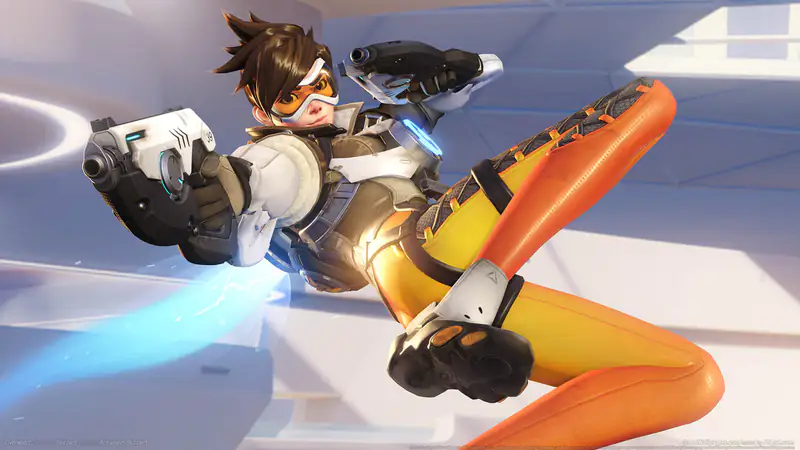
Overwatch V2 – Overwatch 2 Cronus Zen Script
Script details
- Game
- Overwatch 2
- Creator
 Nukes Code
- Access
- ultimate
- Download format
- .GPC
- Supported platforms
- cross-platform
- Version
- V2
- Listing updated
Overwatch V2 is a Overwatch 2 Zen script by Nukes Code. Explore its download and setup information below.
V2 Updates:
- Added new heroes
- Heroes divided into multiple categories, now much easier to find them (L2 + left/right)
- All mods on page 2 can be enabled/disabled for each individual hero
- Script now runs at 4ms delay (previously 8ms)
- Hair trigger mod will no longer be visible on Zen, but will be active by default
- New mod: Hero Mods - enable or disable mods for individual heroes
- New mod: Crouch Spam - continuously crouches while you hold crouch button
- New mod: Jump Spam - continuously jumps while you hold jump button
- New mod: Deadzone - removes drift from right and/or left analog stick
- LEDs will change color based on hero category
- 4 new mods added to Hero Mods (17 total)
- Added button mapping selection directly from display
- Script will now remember the last hero used
- Added inactivity feature: if inactive for 40 minutes, controller automatically turns off and Zen returns to slot 0
- Changed scrolling text
- Default values and active mods set by default
- Option to reduce LED brightness
- Changed intro
- Minor bug fixes
Features

Guides

Mod Menu

Values
Guides
Ability Mods
- D.Va — press Primary Fire and Ability 2 together
- Winston — automatically deploys shield when jumping onto an enemy
- Orisa — uses Secondary Fire after Ability 2
- Junker Queen — uses Secondary Fire while Primary Fire is active
- Reinhardt — uses Ability 1 after Ability 3
- Sigma — uses Ability 2 while using Primary Fire
- Bastion — uses Secondary Fire while using Primary Fire
- Emre — uses Secondary Fire while using Ability 2
- Junkrat — press Interact to perform a very high jump
- Soldier — auto run enabled, uses Secondary Fire with Primary Fire
- Symmetra — automatically takes portal
- Echo — easier flight control
- Pharah — uses Ability 2 while using Primary Fire
- Ashe — uses Ability 2 while using Primary Fire
- Cassidy — uses Ability 2 while using Primary Fire
- Sojourn — uses Ability 2 while using Primary Fire
- Moira — press Interact for instant health
Installation & setup
Follow these steps to install the GPC download on your Cronus Zen.
-
Download the script
Use the download button on this page and save the .gpc file to your computer.
-
Connect your Cronus Zen
Open Zen Studio Live in Chrome or Edge.
- Connect your Cronus Zen through the PROG port and select 'Connect Device'.
-
Open the script in the Editor tab
Drag the downloaded .gpc file into the 'Editor' tab.
-
Add the script to a device slot
Go to the Device tab, select MY SCRIPTS at the top right, then drag the chosen .gpc file into an empty slot.
-
Program the Cronus Zen
Click the flashing orange Program button at the top to save the script to your Zen.
-
Connect, select your slot and test
After programming finishes, connect the Zen to your console or PC using your platform’s connection setup. Select the installed script’s slot, then follow the creator’s button layout and starting values. Test before changing settings, and adjust one value at a time.
Need help with setup?
If the Zen is not detected, check the PROG connection and use a USB cable that supports data. If a GPC file fails to compile, check that the download is complete and that it supports your version of Zen Studio.
Overwatch V2: common questions
How do I install Overwatch V2?
This download is a GPC script. Follow the numbered instructions above to open it in Zen Studio, assign a device slot and program your Zen.
What access do I need for Overwatch V2?
This script is listed in the ultimate library. Sign in with a plan that includes this tier; your download button shows the access available to your account.
Where can I find settings for Overwatch V2?
The creator’s guide is included on this page. The Recommended Values section contains the creator’s starting values. Sign in with the required access to view them, and match the script to your in-game settings before making adjustments.