UNLOCK THE FULL ZEN SCRIPT LIBRARY
Access 2,000+ Scripts Today!












GET INSTANT ACCESS
100+ Free Scripts • 4 Premium Scripts Weekly • No Credit Card required
4.8/5 from 40,000+ Users



ultimate
NBA 2k26
Fusion

Script details
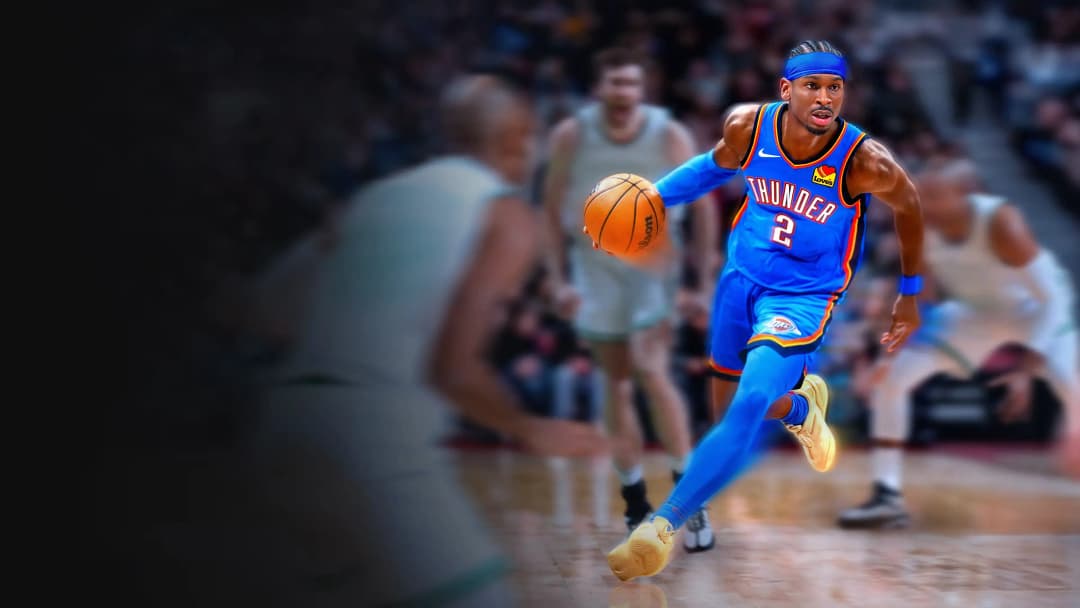
Avenged 2K26 FUSION 1.0 — Script Overview
General Overview
- TRUE AUTOGREEN system included
- No manual value setup required
- Designed for automated configuration using AI-generated values
- Built to enhance consistency and timing across gameplay
- Marketed as a high-performance competitive script for NBA 2K26
- Includes multi-feature integration (shooting, movement, defense, dribbling, stamina systems)
Core Concept
- Uses an AI-based value generator
- User inputs build information
- System generates optimized gameplay values automatically
- Removes need for manual tuning or traditional “setup grinding”
- Designed to adapt configurations per player build type
Key Features
- AutoGreen system
- Automates shot timing consistency
- Aims to stabilize release timing windows
- Movement mods
- Enhances acceleration, responsiveness, and directional control
- Includes boosted transitions between movement states
- Stamina mods
- Adjusts fatigue behavior during extended play
- Designed to reduce performance drop-off over time
- Custom dribble combos
- Predefined combo sequences
- Automated execution logic for chaining moves
- Defense mods
- Enhances defensive stick responsiveness
- Improves positioning and lateral control behavior
- Multi-profile system
- Allows different configurations per build type
- Supports switching between playstyles or characters
System Behavior
- Designed to operate without manual value tweaking
- Relies on automated parameter generation per build input
- Optimized for consistency rather than manual fine-tuning
- Intended to reduce setup complexity compared to traditional scripts
Design Philosophy
- Focus on automation over manual configuration
- Emphasis on consistency, timing stability, and responsiveness
- Built around “plug-in build → generate values → play” workflow
- Combines multiple gameplay modification systems into one package
Feature Scope Summary
- Shooting automation (AutoGreen system)
- Movement enhancement modules
- Defensive assist systems
- Dribbling combo automation
- Stamina management modifications
- Build-based profile switching
- AI-driven configuration generation
Overall Positioning
- All-in-one gameplay modification suite for NBA 2K26
- Designed to replace manual tuning workflows
- Focused on consistency, automation, and ease of setup
- Combines multiple script categories into a unified system
Features

guides
This script includes an instruction guide
Mod Menu
This Script comes with a customizable Mod Menu
Guides
Rhythm Shooting Script — Full Feature Breakdown
Rhythm Shooting System
- Hold X / Square to gather shot (right stick pulls down)
- Release X / Square to trigger flick-up release in green window timing
- Built around timing-based input rhythm rather than instant release
Button Rhythm
- Master toggle for hold-and-release shooting system
- Controls whether rhythm shooting is active or disabled
- Core mechanic for timing-based shot execution
Tempo
- Adjustable timing window (20–100 ms)
- Controls delay between partial and full flick motion
- Auto-calculated from release speed
- Can be fine-tuned in small increments (1–2 ms) for shot timing correction
Turbo Shots
- Hop Jumper: standard flick-based shot behavior
- Turbo Fade: reversed flick direction when sprinting (R2 held)
- Changes shot direction logic depending on movement state
RS Shooting
- Enables pure right stick shooting system
- Hold RS for 300 ms+ to gather shot input
- Release RS triggers flick-up shot
- Works independently of X/Square input system
Shot Jitter
- Adds random variation to timing and stick values (0–10)
- 0 = fully mechanical, consistent timing
- Low values (1–2) = subtle human-like variation
- Used for smoothing input predictability
Auto Shot System
- One-click full shot sequence activation
- Triggered by opposite stick click based on remap setting
- Handles full gather → hold → flick process automatically
Auto Shot Toggle
- Enables or disables one-click shooting system
- Fully bypasses manual rhythm timing when active
Auto Shot Hold
- Controls gather phase duration (200–800 ms)
- Automatically derived from release speed settings
Auto Shot Tempo
- Delay before flick-up phase (20–100 ms)
- Also auto-calculated based on release speed
Controls & Remapping
- Remap X/Square determines input behavior:
- RS Click = rhythm shot, LS Click = auto shot
- LS Click = rhythm shot, RS Click = auto shot
- Allows swapping which stick controls each shot system
Quick Stop Mode
- Off: disabled
- Auto QS: plants feet automatically when stopping while R2 is held + shooting
- LT/L2 QS: same behavior but triggered via L2 instead of R2
Dribbling & Combos
- Dribbling Enabled: master toggle for all DPAD combos
- DPAD Left/Right:
- Escape
- Crossover
- Quick Behind-the-Back
- Shamgod
- DPAD Up/Down:
- BTB Spam
- Curry
- Devin Booker style
- Moonwalk
- Size-Up
Dribble Speed
- Range: 50–200
- Controls execution timing multiplier
- Higher = faster combo execution
Combo Looping
- ON: repeats dribble sequence continuously
- OFF: executes once per input
- R2 + DPAD Up triggers Size-Up Loop instead of dribble move
Defense & Clamp System
- Clamp Intensity (0–100)
- RS boost strength while holding L2
- Default around 85
- Clamp Lateral Bias (0–100)
- 100 = horizontal emphasis
- 0 = vertical emphasis
- 50 = balanced defensive pressure
Movement Boost System
- Applies on both R2 (offense) and L2 (defense)
- Explosive Movement + Power
- Burst acceleration from standstill (around 150 ms boost)
- Sprint Amplifier + Power
- Boosts left-stick sprint responsiveness while triggers held
- Cut Boost + Power
- Enhances directional cuts (around 120 ms boost window)
- Change of Pace
- Forces instant transition from walk to sprint input
Endurance Engine (Stamina System)
- Fully automatic stamina management system
- Behavior:
- Sprinting (R2/L2): stamina drains
- Walking: stamina recovers
- Standing still: faster recovery
- Configurable settings:
- Toggle engine on/off
- Stamina floor: 70–95 (minimum stamina allowed)
- Drain/recovery rates:
- Sprint: -1 point every 400 ms
- Walk: +1 point every 100 ms
- Stand: +1 point every 50 ms (fastest recovery)
Slam Dunk System
- Auto RS direction dunk system
- Trigger inputs:
- L1 + Sprint
- Circle + Sprint
- Styles:
- Two-Hand
- Flashy
- Dominant Hand
- Off-Hand
Profile Manager
- 5 total saved profiles
- Stored inside script memory (SPVAR-based)
- Switchable via OLED menu
- Settings persist after power cycles
OLED Menu System
- 30 total pages across 8 categories
- Accessed via L2 + OPTIONS
- Navigation:
- UP/DOWN: scroll or adjust values
- LEFT/RIGHT: page navigation
- X: enter category
- CIRCLE: back or exit
- R1 hold: faster value changes
OLED Categories
- Shooting (5 pages)
- Button Rhythm
- Tempo
- Turbo Shots
- RS Shooting
- Shot Jitter
- Auto Shot (3 pages)
- Enable toggle
- Hold timing
- Tempo timing
- Controls (2 pages)
- Remap system
- Quick Stop
- Dribbles (5 pages)
- Enable toggle
- LR moves
- UD moves
- Speed
- Looping
- Defense (2 pages)
- Clamp intensity
- Lateral bias
- Movement (9 pages)
- Explosive system
- Sprint system
- Cut system
- Pace system
- Endurance engine
- Stamina floor
- Slam Dunk (3 pages)
- Enable
- Trigger
- Style
- Profiles (1 page)
- Switch between 1–5
Button Combos Reference
- L2 + OPTIONS: open OLED menu
- X/Square hold + release: rhythm shot
- RS or LS click: rhythm shot (depends on remap)
- Opposite stick click: auto shot
- DPAD L/R: dribble moves
- DPAD U/D: dribble moves
- R2 + DPAD Up: size-up loop
- L1 + R2 or Circle + R2: slam dunk
- L2 hold: clamp + defensive boosts
- Any dribble input during combo: cancel action
Troubleshooting
- Inconsistent shots
- Set Shot Jitter to 0
- Adjust Tempo by 1–2 ms for correction
- Stick click not working for shooting
- Check Remap X/Square setting
- DPAD triggering unwanted actions
- Ensure Dribbling Enabled is ON
- Re-flash script if needed
- Settings not saving
- Re-flash script
- SPVAR storage may have been reset
- L2 triggers console capture/screenshot
- Adjust DualSense Edge trigger settings
- Increase trigger dead zone in PS5 settings
- Switch trigger stop from Short to Long
- Standard controllers are not affected