UNLOCK THE FULL ZEN SCRIPT LIBRARY
Access 2,200+ Scripts Today!













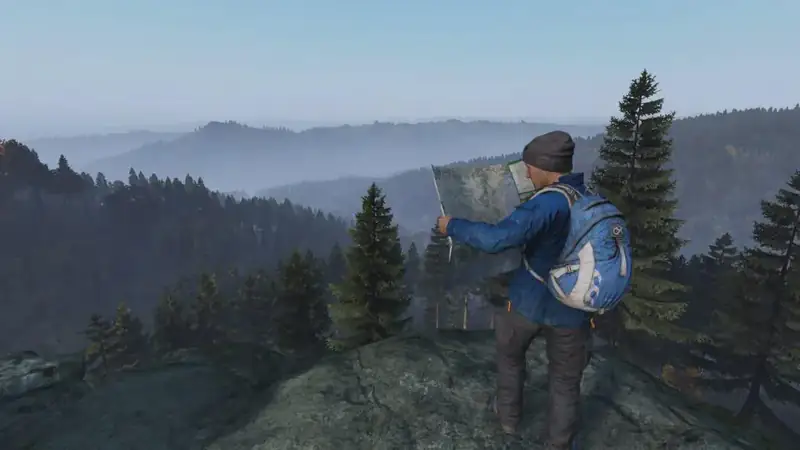
DayZ v1.07 – DayZ Cronus Zen Script
Script details
- Game
- DayZ
- Creator
 Cronus Zen Central
- Access
- ultimate
- Download format
- .GPC
- Supported platforms
- cross-platform
- Version
- v1.07
- Listing updated
DayZ v1.07 is a DayZ Zen script by Cronus Zen Central. Explore its download and setup information below.
This is a DayZ Cronus Zen Script developed by Czc.
Includes mods:
- Anti Recoil
- Auto Ads
- Auto Reload
- Auto Run
- Burst Fire
- Code Raid
- Drop Shot
- Evasive
- God Mode Gun
- God Mode Melee
- Hold Breath
- Multi Fire
- Pickup Glitch
- Punch Fence
- Rapid Fire
- Silent Gun
- Soft Skill Bark
- Stack Crates
- White Wall
Features

Guides

Mod Menu

Multiple Versions
Guides
Mod Info
Profile Switching
- PlayStation: Hold L1 + Triangle
- Xbox: Hold LB + Y
Main Mods
Anti-Recoil
Controls weapon recoil by moving the right stick down while shooting.
- Adjustable vertical and horizontal values in the OLED menu
- Currently activates when using ADS + Fire
Rapid Fire
Continuously fires semi-auto weapons.
- Includes two profiles
- Adjustable fire rate
- Controls the speed between shots
Burst Fire
Fires short automatic bursts.
- Includes two profiles
- Release: Delay between bursts
- Hold: How long fire is held during each burst
MultiFire
Fires 2–3 round bursts for semi-auto weapons.
- Includes two profiles
- Shots: Number of shots per burst
- Rate of Fire: Speed between shots
- Delay: Time between bursts
Auto Run
Automatically holds the left stick forward for constant movement.
- Activate: L1 + L3
- Deactivate: Move the left stick fully backward
- Regular: Runs straight forward
- Evasive: Runs while strafing
- Push Normal: Activates L3 when the left stick is pushed forward at 80%
DropShot
Automatically goes prone after shooting.
- Shot Delay: Time before going prone after firing
Hold Breath
Automatically holds breath while aiming.
Auto ADS
Automatically scopes in when holding L2 / LT.
Auto Reload
Automatically reloads after releasing fire.
Programs / Macros
Toggle Programs
- PlayStation: L1 + Left D-Pad
- Xbox: LB + Left D-Pad
CodeRaid 3-Digit / 4-Digit
Automates code entry.
Customizable options:
- Long Hold
- Tap Time
- Short Hold
- End Wait
- Screenshot interval
- Stage presets
SoftSkillBark
Builds hammer soft skills by repeatedly building and dismantling a fireplace.
Pickup Glitch
Helps you move faster while carrying large objects.
- Punch Delay: Adjusts the timing between pickup and punch
White Wall
Allows wall visibility using two-handed objects.
- Speed: Adjustable timing value
PunchFence
Automatically punches fences or gates until destroyed.
- Supports configurable quickslots from 0–4
CrateStacking
Automatically stacks crates neatly.
SilentGun
Makes shots silent by desyncing the player.
- WaitTime: Adjustable timing value
- Requires precise timing for each server
GodMode Gun
Enables God Mode with guns while in SilentGun Mode.
GodMode Melee
Enables God Mode with melee weapons while in SilentGun Mode.
Speed Toggles
- Anti-Recoil: L2 + Up D-Pad
- Auto Run: L2 + Left D-Pad
- Rapid Fire: L2 + Right D-Pad
- DropShot: L2 + Up D-Pad
Installation & setup
Follow these steps to install the GPC download on your Cronus Zen.
-
Download the script
Use the download button on this page and save the .gpc file to your computer.
-
Connect your Cronus Zen
Open Zen Studio Live in Chrome or Edge.
- Connect your Cronus Zen through the PROG port and select 'Connect Device'.
-
Open the script in the Editor tab
Drag the downloaded .gpc file into the 'Editor' tab.
-
Add the script to a device slot
Go to the Device tab, select MY SCRIPTS at the top right, then drag the chosen .gpc file into an empty slot.
-
Program the Cronus Zen
Click the flashing orange Program button at the top to save the script to your Zen.
-
Connect, select your slot and test
After programming finishes, connect the Zen to your console or PC using your platform’s connection setup. Select the installed script’s slot, then follow the creator’s button layout and starting values. Test before changing settings, and adjust one value at a time.
Need help with setup?
If the Zen is not detected, check the PROG connection and use a USB cable that supports data. If a GPC file fails to compile, check that the download is complete and that it supports your version of Zen Studio.
DayZ v1.07: common questions
How do I install DayZ v1.07?
This download is a GPC script. Follow the numbered instructions above to open it in Zen Studio, assign a device slot and program your Zen.
What access do I need for DayZ v1.07?
This script is listed in the ultimate library. Sign in with a plan that includes this tier; your download button shows the access available to your account.
Where can I find settings for DayZ v1.07?
The creator’s guide is included on this page. The Recommended Values section contains the creator’s starting values. Sign in with the required access to view them, and match the script to your in-game settings before making adjustments.