DIE GESAMTE ZEN-SKRIPTBIBLIOTHEK FREISCHALTEN
Zugriff auf 2.000+ Skripte – noch heute!










SOFORT ZUGRIFF ERHALTEN
100+ kostenlose Scripts • 5 Premium-Scripts pro Woche • Keine Kreditkarte erforderlich
4,8/5 von 40.000+ Nutzern



Ultimate
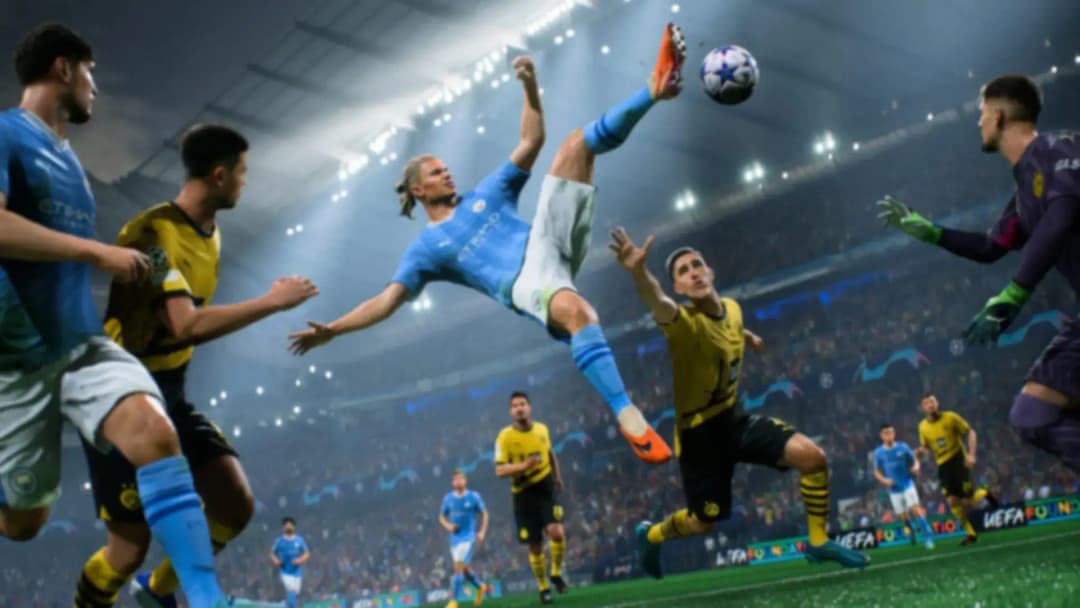
EA FC 27
EA FC 27 V1.5


Skriptdetails
Dieses Cronus-Zen-Skript für Ea Fc 27 wurde von Luka Zen Scripts entwickelt.
Enthaltene Mods:
- 3 Touch Roulette
- Advanced Croqueta
- Advanced Rainbow
- Bal Roll Cut 180
- Ball Roll
- Ball Roll Chop
- Ball Roll Cut 180
- Ball Roll Fake Turn
- Ball Roll Scoop Turn
- Ball Roll-Step Over
- Body Feint
- Bolasie Flick
- Canc 4 Touch Turn
- Canc Berba Spin
- Cancel Four Touch Turn
- Cancel Shoot
- Canceled Three Touch Roulette
- Canceled Turn And Spin
- Cruyff Turn
- Diagonal Heel Chop
- Drag Back
- Drag To Drag
- Dribbling Skill
- Ea Ping
- Elastico
- Elastico Shop
- Fake Barba Opp Exit
- Fake Barba To Fake Drag
- Fake Rabona
- Fake Shot
- Fake Shot Cancel
- Feint & Exit
- Finesse Finish
- Finesse Ld
- Finesse Shot
- Four Touch Turn
- H To Heel Flick
- Heel Flick Turn
- Heel To Ball Roll
- Hocus Pocus
- Jog Openup Fake Shot
- Juggle Back Sombrero
- Juggling Rainbow
- La Croqueta
- Lateral Heelto Heel
- Low Driven
- Luka Lock
- Nutmeg Skill
- Okkosha Flick
- Rainbow To Scorpion
- Reverse Stepover
- Ronaldo Chop
- Roulette
- Rs Skills
- Scoop Turn Fake
- Skilled Bridge
- Sombrero Flick
- Step Over Boost
- Step Over Feint
- Stop & V Drag
- Stop Neymar Roll
- Stutter Feint
- Tornado Spin
- Triple Elastico
- Trivela Ld
- Turn Back
- Waka Waka
Funktionen

Mod-Menü
Dieses Skript enthält ein anpassbares Mod-Menü

Unsere Empfehlung
We personally recommend this script

Anleitungen
Dieses Skript enthält eine Anleitung
Anleitungen
LUKAIM FC 27 - MOD GUIDE
- Menu Controls
- Open Menu
- PlayStation: Hold L2 + OPTIONS
- Xbox: Hold LT + MENU
- Navigation
- D-Pad Up / Down: Change option / value
- D-Pad Left / Right: Move between mods / settings
- X / A: Enter values
- Circle / B: Go back / exit menu
- Settings are automatically saved when you exit the menu.
- Button Conflict
- If you see BUTTON CONFLICT, another enabled mod is already using the same button.
- Choose a different button for one of the mods.
- Shooting
- Finesse Finish
- Automatically performs a Finesse Shot.
- Power: Controls how much shot power is used.
- Accuracy: Controls the shot timing.
- Button: Choose the button that activates the mod.
- Trivela LD
- Automatically performs a Trivela Low Driven Shot.
- Power: Controls the shot power.
- Accuracy: Controls the Low Driven timing.
- Button: Choose the button that activates the mod.
- Normal LD
- Automatically performs a normal Low Driven Shot.
- Power: Controls the first shot power.
- Accuracy: Controls the timing before the second shot input.
- Button: Choose the button that activates the mod.
- Finesse LD
- Automatically performs a Finesse Low Driven Shot.
- Power: Controls the shot power.
- Accuracy: Controls the Low Driven timing.
- Button: Choose the button that activates the mod.
- Skills
- RS Skills
- Lets you assign skills to the Right Stick.
- RS Up: Skill used when moving RS Up.
- RS Right: Skill used when moving RS Right.
- RS Down: Skill used when moving RS Down.
- RS Left: Skill used when moving RS Left.
- Modes
- Disabled: RS Skills are turned off.
- Always On: Your selected skills always work on the Right Stick.
- Double Tap BTN: Double tap your selected Modifier Button to turn RS Skills on or off.
- Modifier Button: Hold your selected Modifier Button + move the Right Stick to perform the selected skill.
- BTN Skills 1
- Lets you perform a selected skill using one button.
- Choose the skill you want from the main menu.
- Skill 1 BTN: Choose the activation button.
- Tap Type
- One Tap: Press the button once.
- Double Tap: Press the button twice quickly.
- Exit Direction: Choose Left or Right for supported skills.
- BTN Skills 2
- Works the same as BTN Skills 1.
- Gives you a second separate button skill.
- Skill 2 BTN: Choose the activation button.
- Tap Type: One Tap or Double Tap.
- Exit Direction: Choose Left or Right for supported skills.
- Movement
- Luka Lock
- One-button Player Lock.
- Normally, Player Lock requires L3 + R3.
- With Luka Lock, you only need to press your selected button.
- Luka Lock BTN: Choose which button activates Player Lock.
- Settings
- No Delay
- Off: Normal script speed.
- On: Runs the mod logic at approximately a 2ms VM interval.
- Recommended: On.
- Controller Layout
- Choose the layout that matches your FC settings.
- Classic
- Shoot: Circle / B
- Finesse: R1 / RB
- Sprint: R2 / RT
- Classic R2 Fin
- Shoot: Circle / B
- Finesse: R2 / RT
- Sprint: R1 / RB
- Alternate
- Shoot: Square / X
- Finesse: R1 / RB
- Sprint: R2 / RT
- Alt R2 Fin
- Shoot: Square / X
- Finesse: R2 / RT
- Sprint: R1 / RB
- Quick Tip
- For shooting mods:
- Power: Shot power
- Accuracy: Shot timing
- Button: Button that activates the mod
- Make sure two enabled mods are not using the same button.
- If BUTTON CONFLICT appears, change one of the buttons.